DNS Management Guide with NABTECH
DNS (Domain Name System) is akin to the phonebook of the internet. It simplifies our web experience by translating user-friendly domain names into IP addresses, guiding our online requests to the appropriate destinations. Effective DNS management ensures a seamless internet experience for your users, and in this guide, we delve deep into the nitty-gritty of DNS settings using the NABTECH client portal.
Accessing Your DNS Management from Your Client Area
- Login to Your Client Area: Begin by accessing the NABTECH client portal. Input your login credentials.
- Navigate to Domains: Once inside, locate and click on the 'Domains' tab or section.
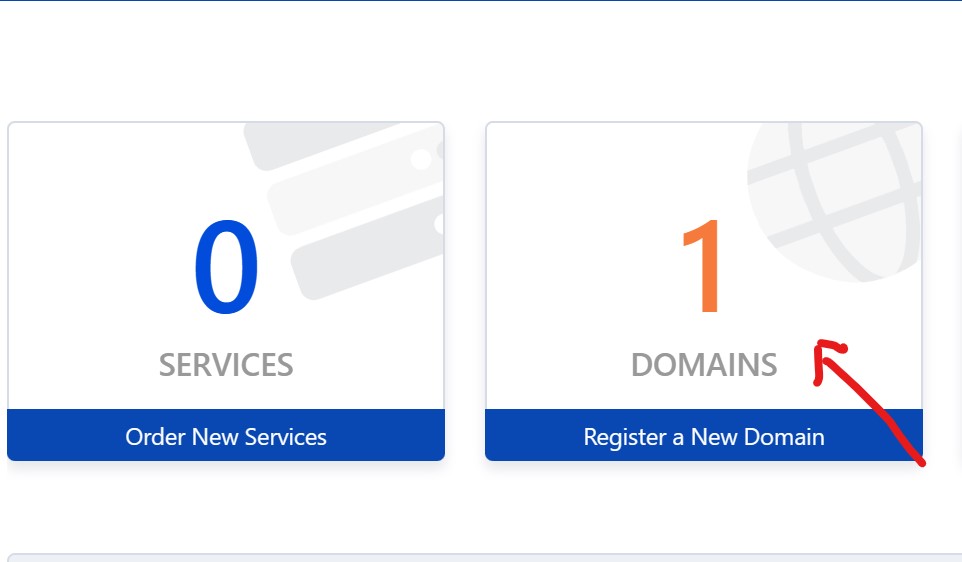
- Select Your Domain: You will be presented with a list of your registered domains. Click on the specific domain whose DNS settings you wish to manage.
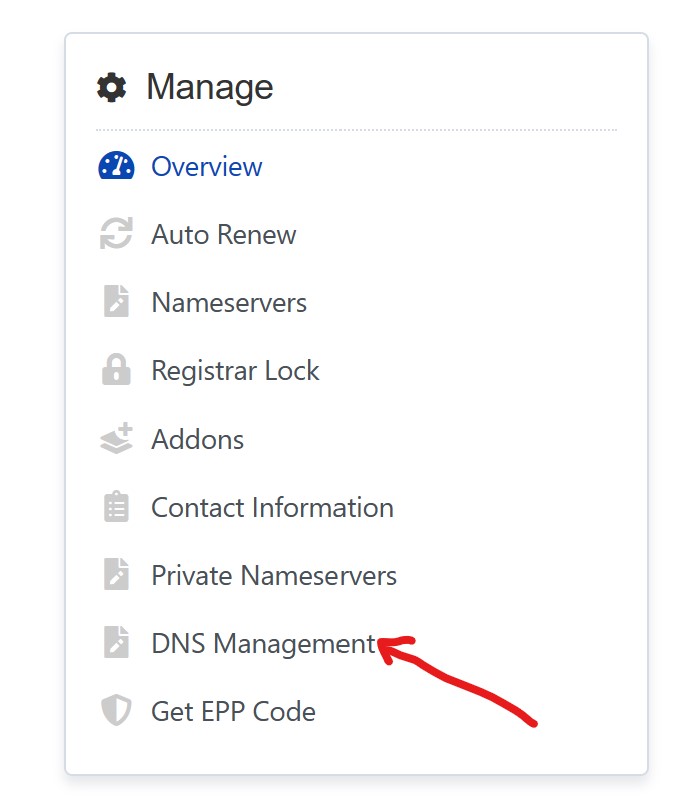
- DNS Management Access: Seek out the 'DNS Management' option and select it.
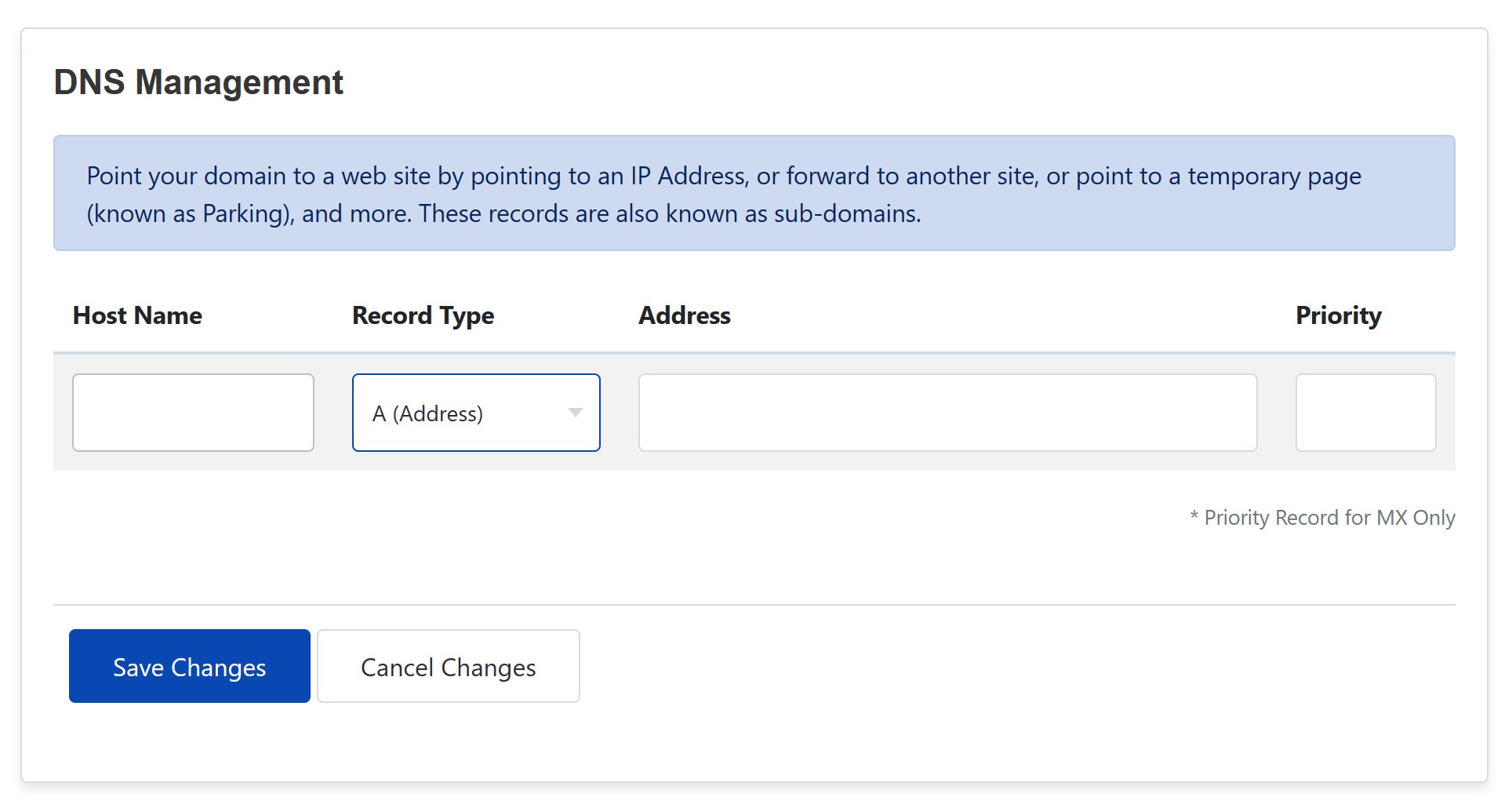
DNS Records: Explanation and Details
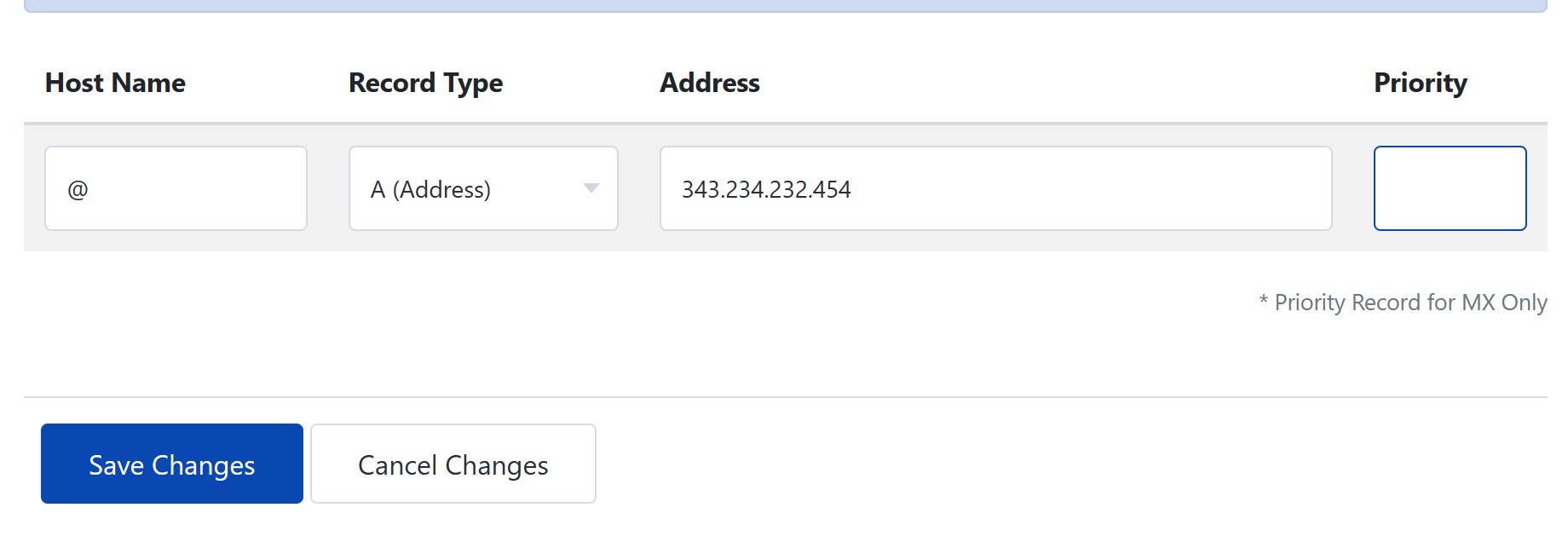
1. A (Address) Record
- Purpose: Directs a domain or subdomain to an IPv4 address.
- Host: The subdomain (e.g., "www") or "@" for the main domain.
- Points to: The IPv4 address of your server.
- TTL: Time-to-live, often set to 3600 seconds (1 hour).
2. AAAA (IPv6 Address) Record
- Purpose: Like the A Record, but directs to an IPv6 address.
- Host: Subdomain or "@" for the main domain.
- Points to: The server's IPv6 address.
- TTL: Commonly 3600.
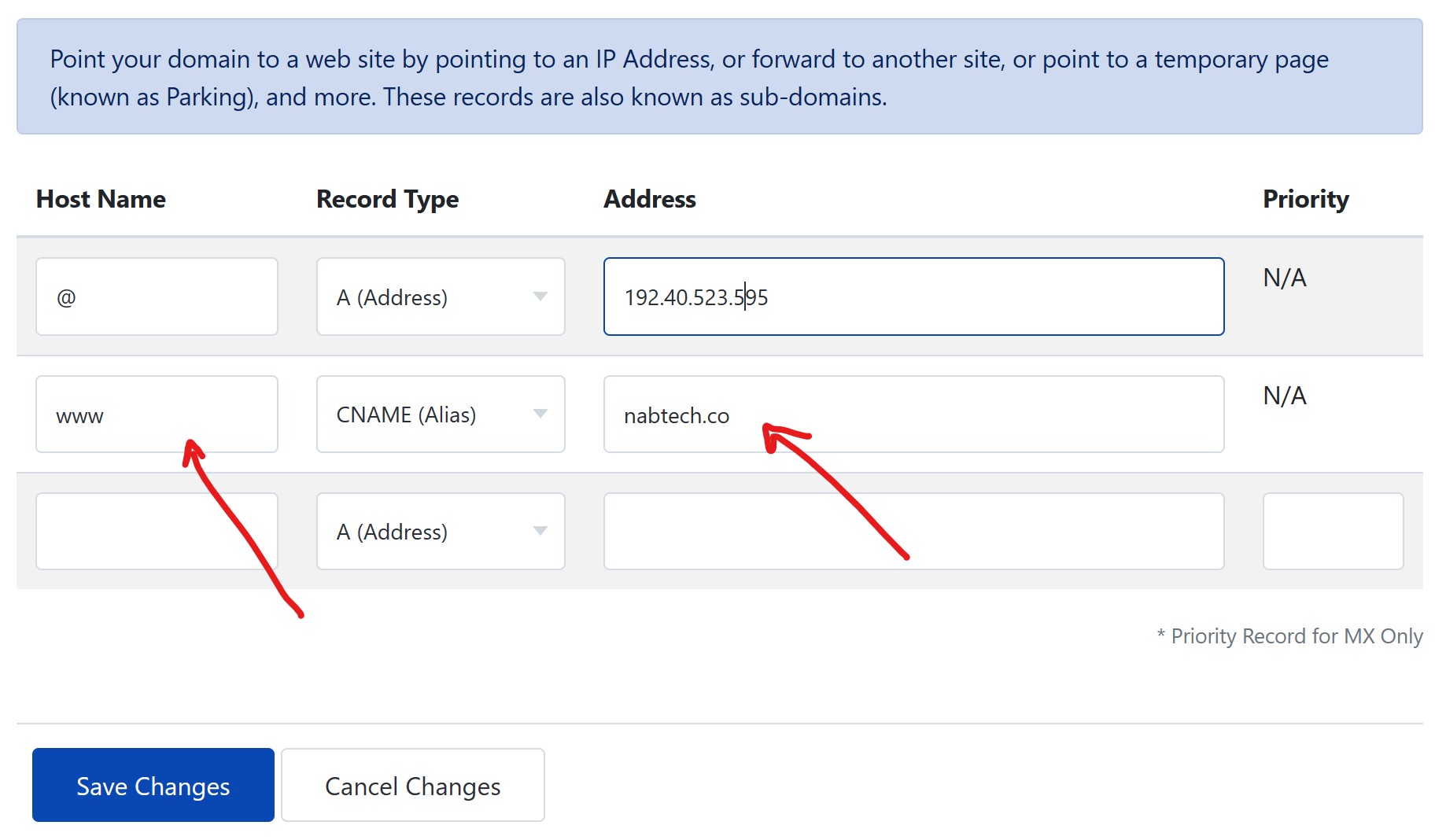
3. CNAME (Canonical Name) Record
- Purpose: Creates an alias from one domain name to another. For example, mapping
www.domain.comtodomain.com. - Host: The subdomain you wish to alias.
- Points to: The target domain name.
- TTL: Typically 3600.
4. MX (Mail Exchange) Record
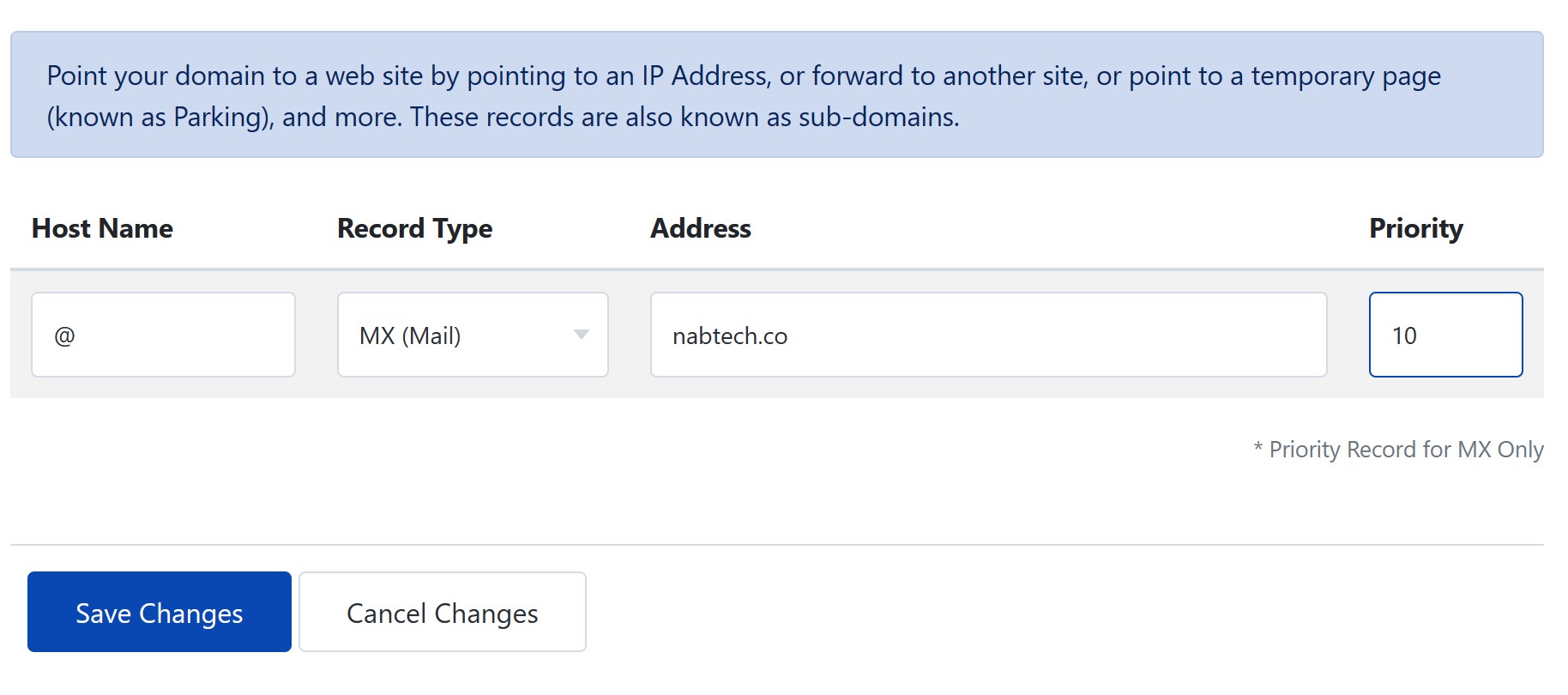
- Purpose: Directs emails sent to your domain towards the right mail servers. They use priority to decide the order.
- Priority: Lower numbers denote higher priority.
- Host: Generally "@".
- Points to: The mail server's address.
- TTL: Often 3600.
5. TXT (Text) Record
- Purpose: Used for various purposes including domain verification and sending policies for emails.
- Host: The domain or subdomain being verified or described.
- TXT Value: The provided string or text, often for verification.
- TTL: Commonly 3600.
6. SRV (Service) Record
- Purpose: Directs traffic to a specific port, protocol, and domain. Useful for applications like Microsoft's Office 365 or LDAP.
- Name: The service's domain or subdomain.
- Target: The host providing the service.
- Priority & Weight: Prioritization metrics.
- Port: The port number for the service.
- TTL: Typically 3600.
7. NS (Name Server) Record
- Purpose: Indicates the servers responsible for a domain or subdomain.
- Host: Domain or subdomain.
- Points to: The nameserver's domain.
- TTL: Usually 3600.
8. DMARC (Domain-based Message Authentication, Reporting, and Conformance) Record
- Purpose: Aids in preventing email spoofing and phishing. It builds on SPF and DKIM standards.
- Fields: Host (often "_dmarc"), TXT Value (policy settings), TTL.
9. SOA (Start of Authority) Record
- Purpose: Provides essential details about a domain's DNS zone, such as the primary name server, the email of the domain administrator, domain serial number, and refresh rates.
- Fields: Host (usually "@"), Primary NS, Admin Email, Serial Number, Refresh, Retry, Expire, TTL.
10. PTR (Pointer) Record
- Purpose: Provides reverse DNS lookup, translating IP addresses back to domain names.
- Fields: Host (often the IP address in reverse, followed by
.in-addr.arpafor IPv4 or.ip6.arpafor IPv6), Points to (corresponding domain name), TTL.
11. SPF (Sender Policy Framework) Record
- Purpose: Helps prevent email spam by determining which mail servers are authorized to send email for a domain.
- Fields: Host (usually "@"), TXT Value (policy details), TTL.
12. DKIM (DomainKeys Identified Mail) Record
- Purpose: Authenticates email messages using cryptographic signatures.
- Fields: Host (selector prefix, e.g., "s1._domainkey"), TXT Value (public key), TTL.
Wrapping Up
DNS management can seem intricate at first, but with a clear understanding of each record type and its fields, the task becomes straightforward. NABTECH is dedicated to providing its clients with the tools and knowledge to seamlessly manage their online presence. Remember to always double-check your entries and periodically review and update your configurations as needed. Safe surfing!